
UAT Environment
Eban Register
Request Demo

Payroll software

Payroll software for Ghana and Nigeria

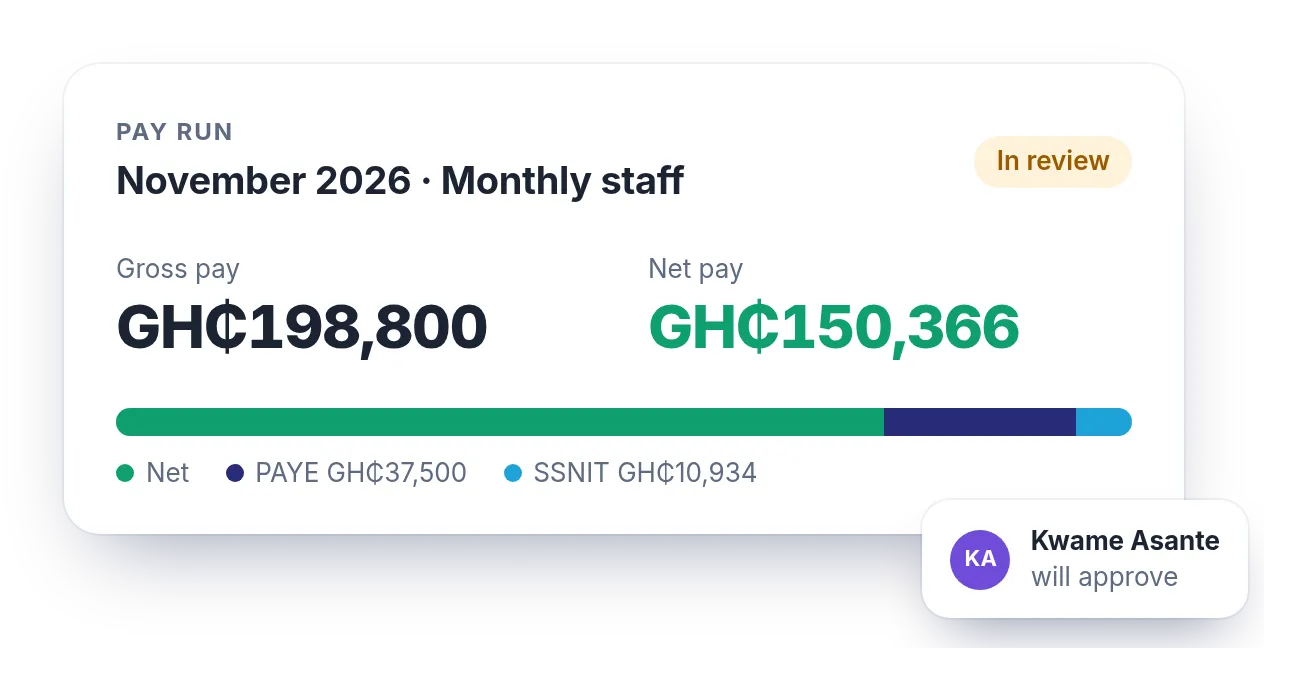
Bring salaries, attendance and local deductions together. Review each employee’s pay, then approve the run before payment.

A November pay run in review, with gross pay, net pay, PAYE and SSNIT

Pay run

How a pay run works

  1. Set salaries and pay elements

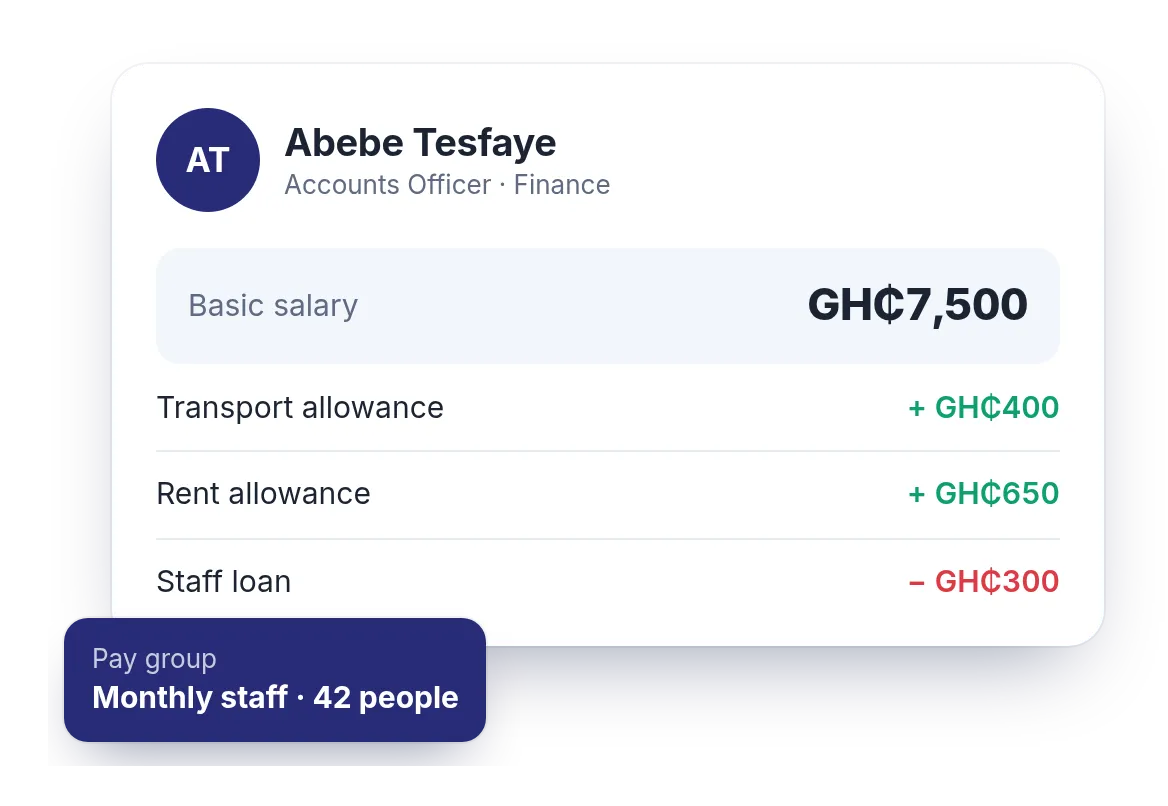
    Add each employee’s salary, allowances and deductions. When a grade’s pay changes, update the group in one step.

    An employee’s basic salary with allowances and a deduction, in a monthly pay group
  2. Apply country-specific deductions

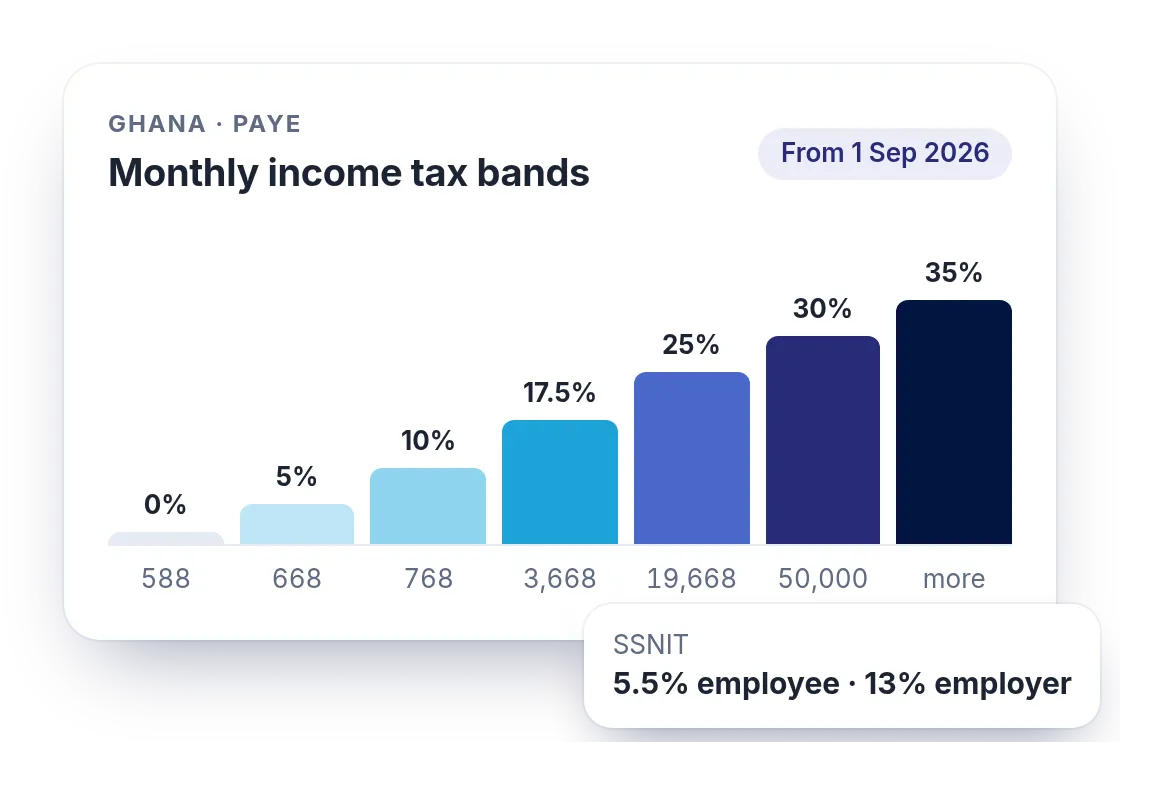
    Each pay run applies PAYE and the statutory deductions for Ghana or Nigeria. Eban Register’s payroll calculations are updated when the rules change.

    Ghana’s monthly PAYE bands from 1 September 2026, from 0% to 35%, and SSNIT rates
  3. Run payroll with attendance and overtime

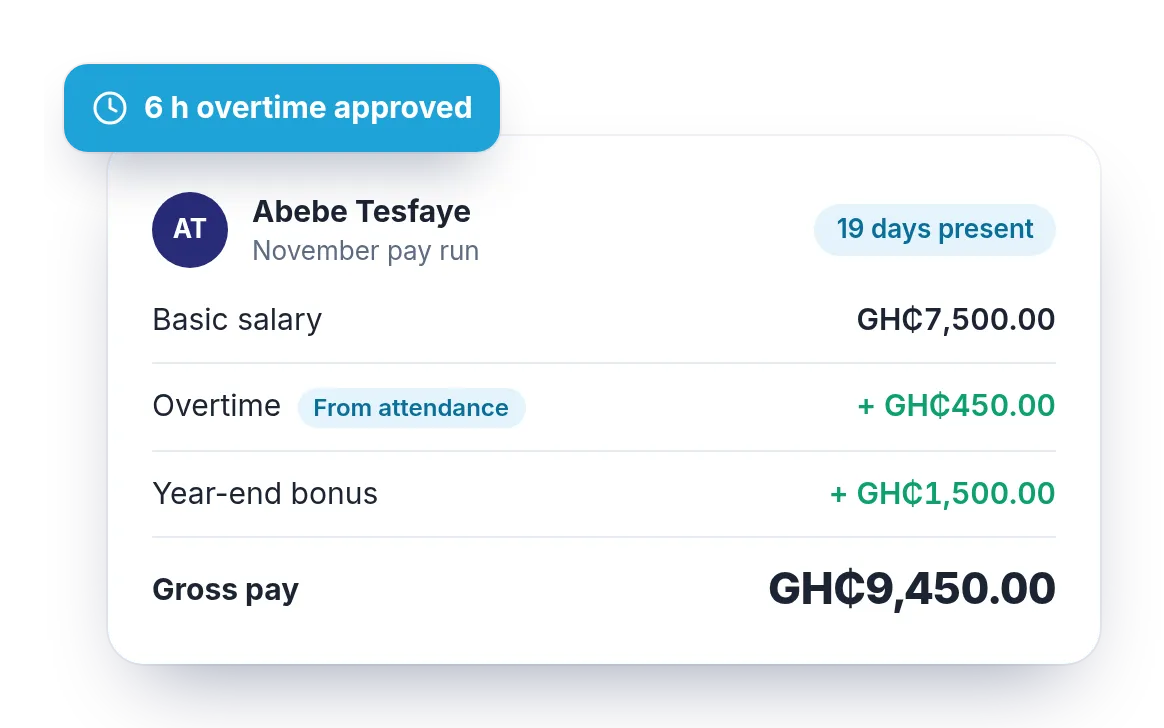
    Use recorded attendance to calculate pay for hourly and daily-paid employees, and include approved overtime in the run.

    Approved overtime and a bonus added to an employee’s November pay
  4. Review and approve the run

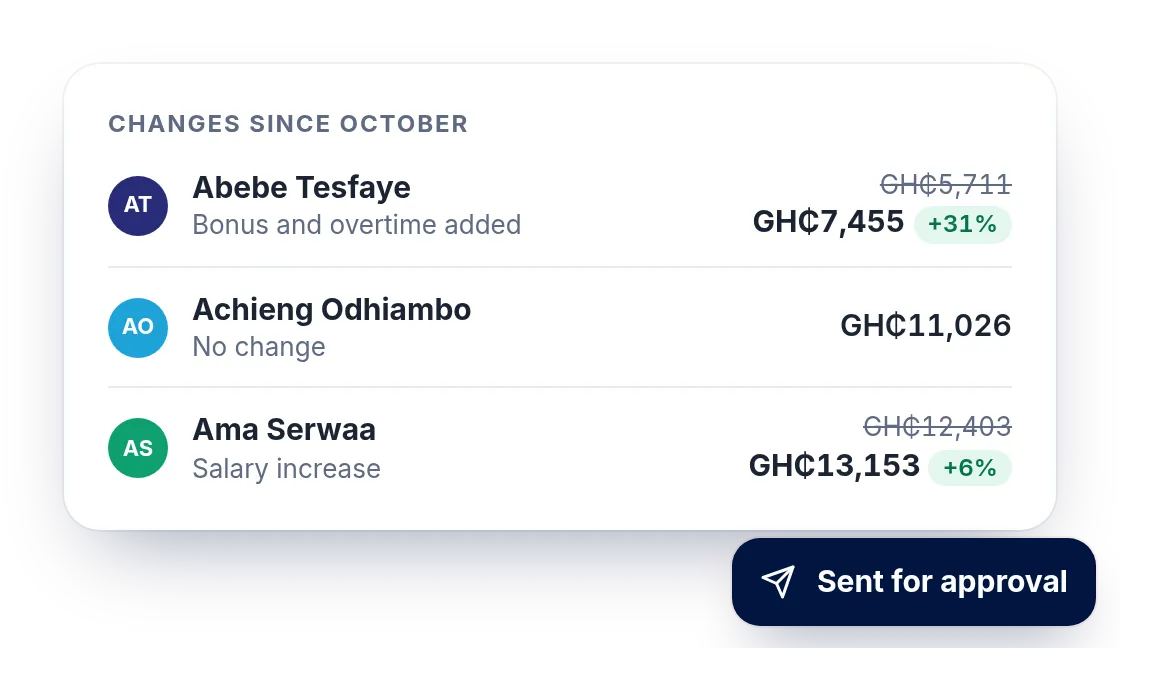
    Compare each employee’s pay with the previous month, check the totals and send the run to an approver before payment.

    Changes in net pay since October, sent for approval
  5. Share payslips with employees

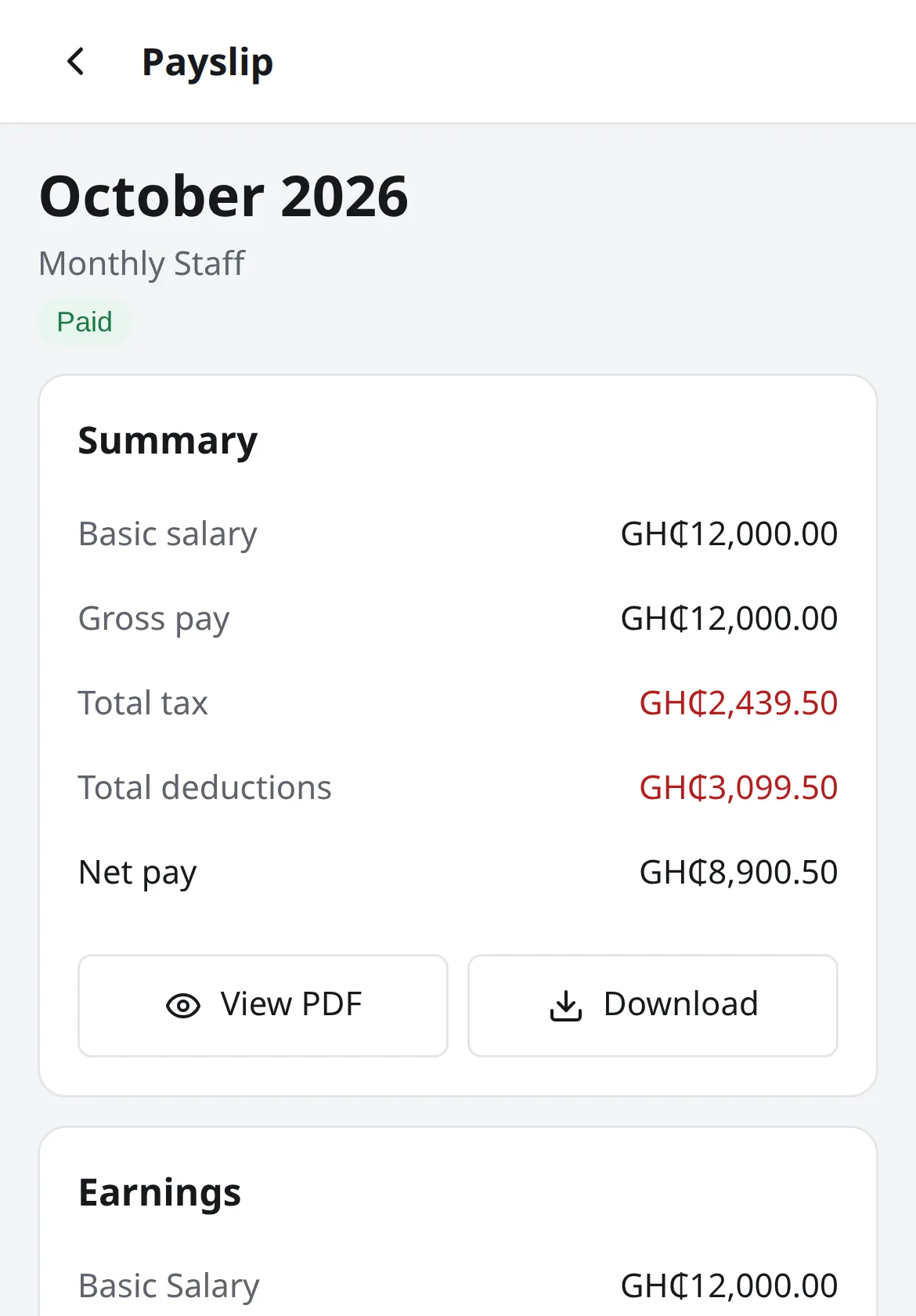
    Employees can view their payslip in the Eban Register app on payday, or on the web.

    An employee’s payslip in the Eban Register app
  6. Prepare payment and statutory reports

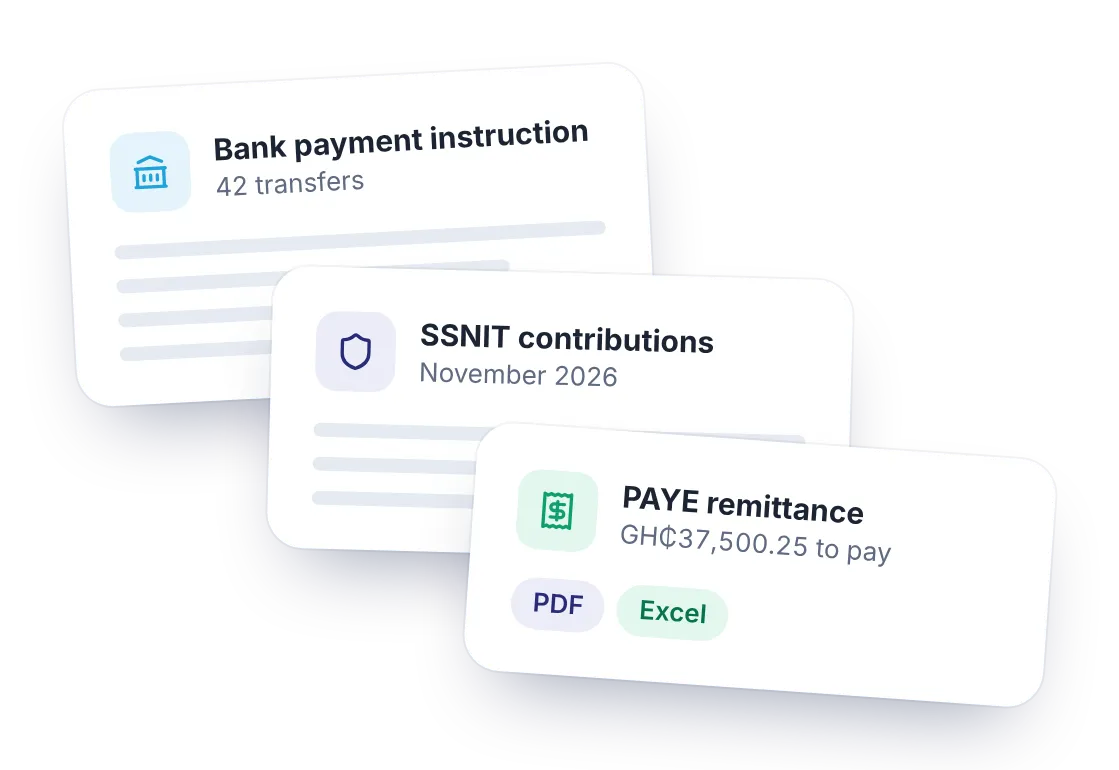
    Download a bank instruction for salary payments. For Ghana, download SSNIT, income tax, Tier 2 and Tier 3 reports.

    A bank payment instruction, an SSNIT contributions report and a PAYE remittance

Attendance

Bring attendance into payroll

Use clock-ins from biometric readers and the app to calculate pay for hourly and daily-paid employees, including weekend, holiday and shift pay.

Learn more: Time and attendance
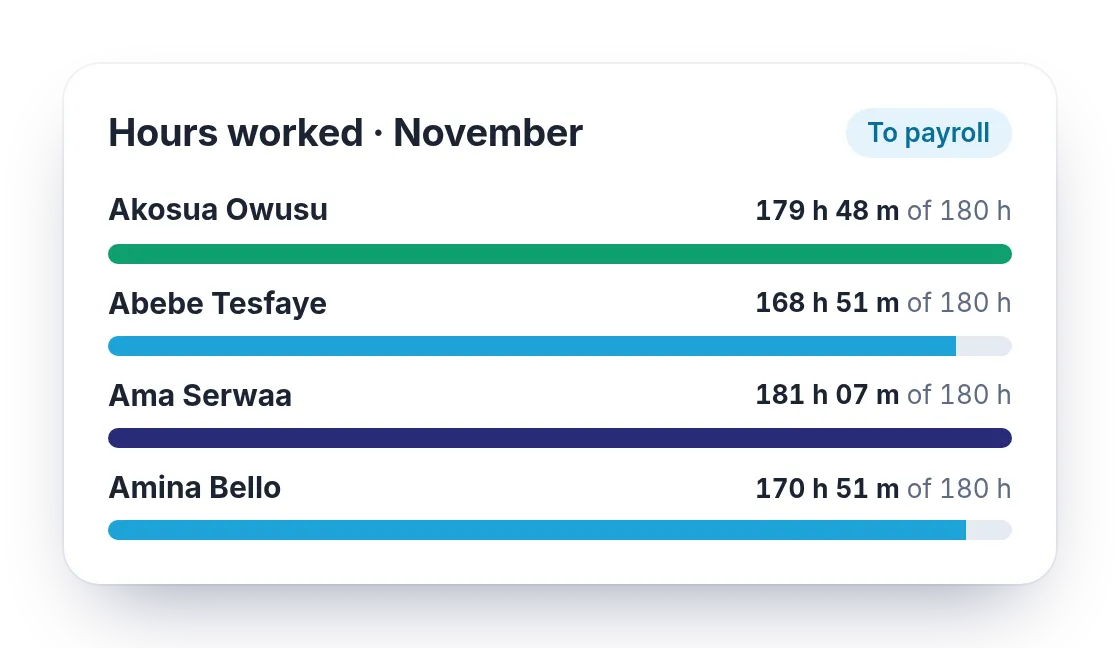
Hours each employee worked in November, ready for payroll

Agency staff

Pay agency workers in the same run

Include agency workers alongside your other employees, then generate a statement for each agency with its fees and pass-through costs.

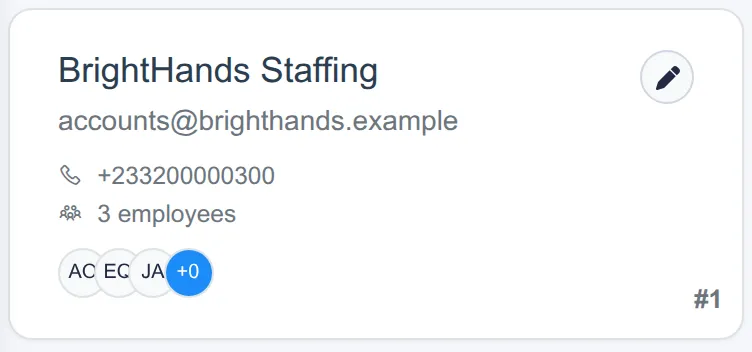
The Agency Management page with its agencies

Ghana and Nigeria

Country-specific payroll deductions

See which deductions apply in each country, then use a free calculator to estimate payroll costs.

Control

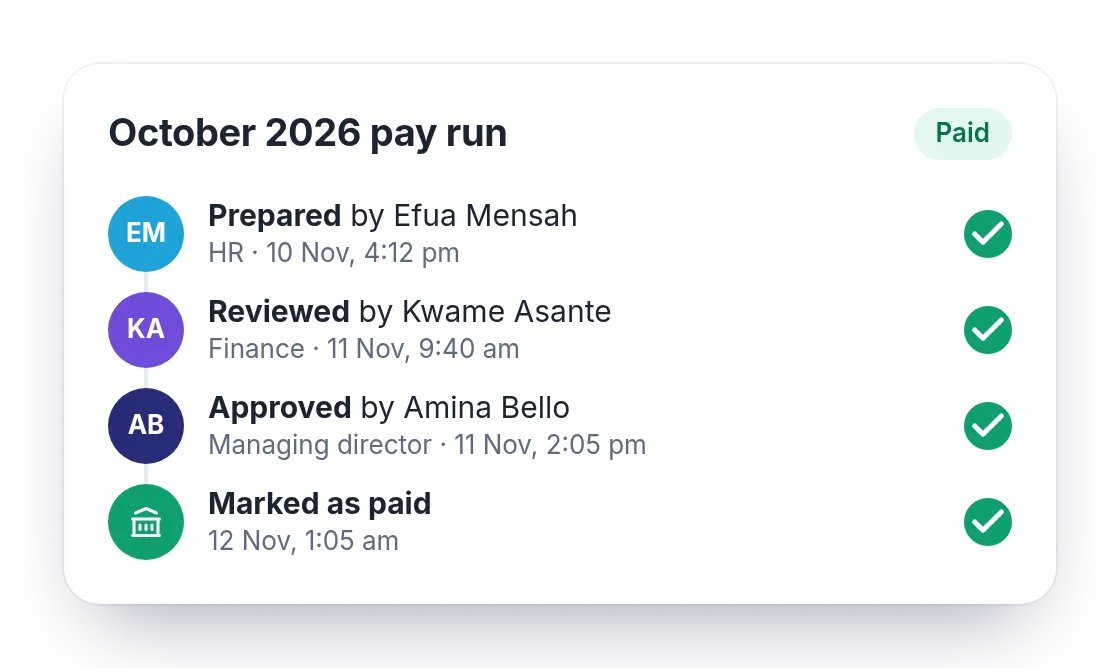
Separate payroll preparation and approval

Choose who prepares, reviews and approves each run. Limit admins to their branches, and use the audit history to see who made each change.

A pay run prepared, reviewed, approved and marked as paid, by different people

Payroll FAQ

Which statutory deductions does payroll calculate?
For Ghana, payroll calculates PAYE, SSNIT and Tier 2; your organization sets Tier 3. For Nigeria, it calculates PAYE, pension, NHF, NSITF, ITF and group life.
What happens when tax rules change?
We update Eban Register’s payroll calculations when statutory rules change. Each pay run uses the rates in force for that period.
Can payroll support different pay schedules?
Yes. Choose weekly, every two weeks, twice a month or monthly pay periods. Pay employees a fixed salary or according to days or hours worked.
Can we run payroll for several branches?
Yes. Run payroll across your branches from one account and limit each admin’s access to the branches they manage.
Can employees view payslips on their phones?
Yes. Employees can view payslips in the Eban Register app for Android and iPhone, or in a browser.
Can payroll use data from our biometric readers?
Yes. Eban Register connects to ZKTeco, Hikvision and Suprema readers. Their clock-ins feed attendance and payroll for hourly and daily-paid employees. Contact us to check other models.
Can we download statutory reports for both countries?
Payroll calculates statutory deductions for Ghana and Nigeria, but downloadable statutory reports are currently available for Ghana only.

Try Eban Register free for a month

No credit card required. Want to see how it works first? Book a demo with our team.